
Your Vault. Your Keys. Your Privacy.
End-to-end client-side encryption powered by AES-GCM. Your master password derives your vault key entirely on your device — it is never transmitted to or stored on our servers.
AES-GCM Encryption
Industry-standard authenticated encryption. Each entry is encrypted individually in your browser before being stored.
Zero-Knowledge Architecture
Your master password and vault contents are never sent to or stored on our servers in readable form.
Multi-Device Access
Unlock your vault from any registered device. Your encrypted data syncs — your vault key never does.
PBKDF2 Key Derivation
Your vault key is derived from your master password using PBKDF2 with a unique per-account salt.
Product Screenshots
A Clean Interface Built for Your Data
Everything you need — passwords, wallet details, recovery tools, and secure backups — in one polished vault experience.
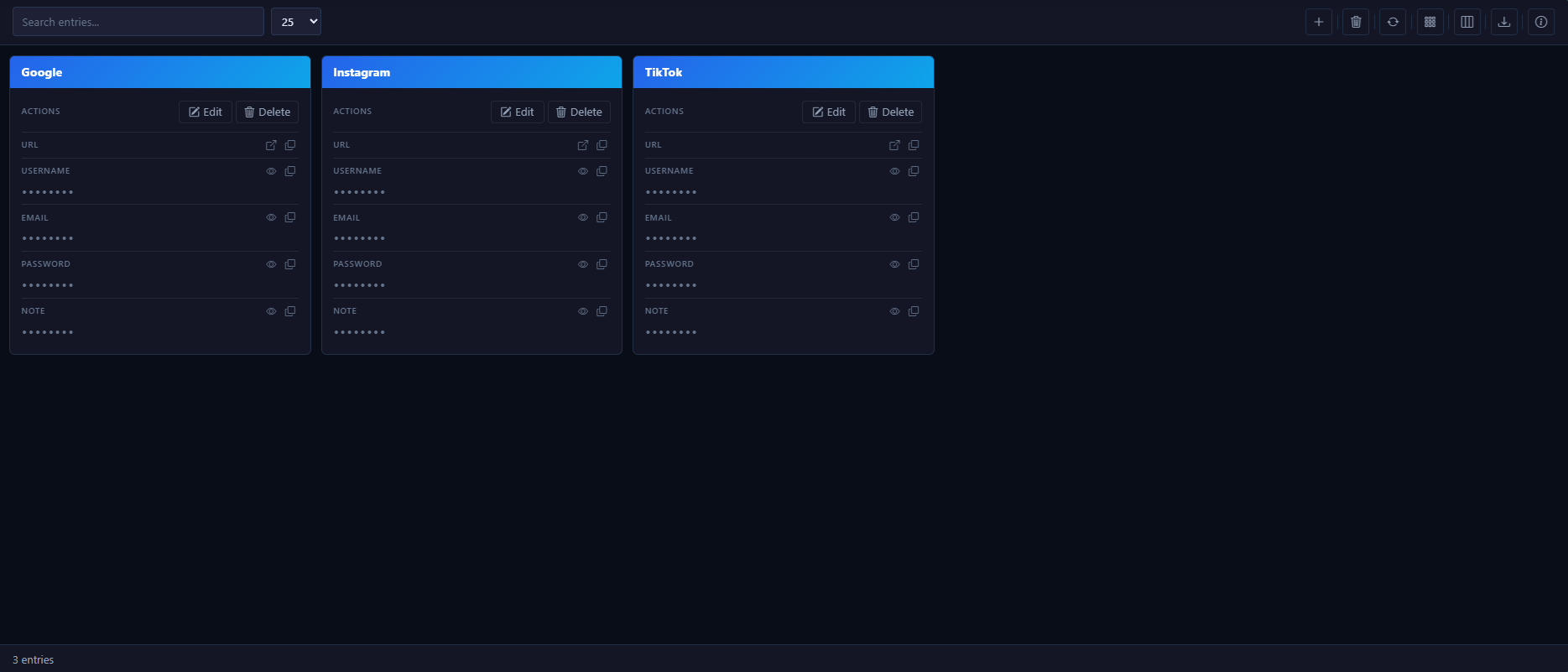
Vault Grid View
Browse saved entries in a clean card layout with quick actions for reveal, copy, edit, delete, and restore workflows.
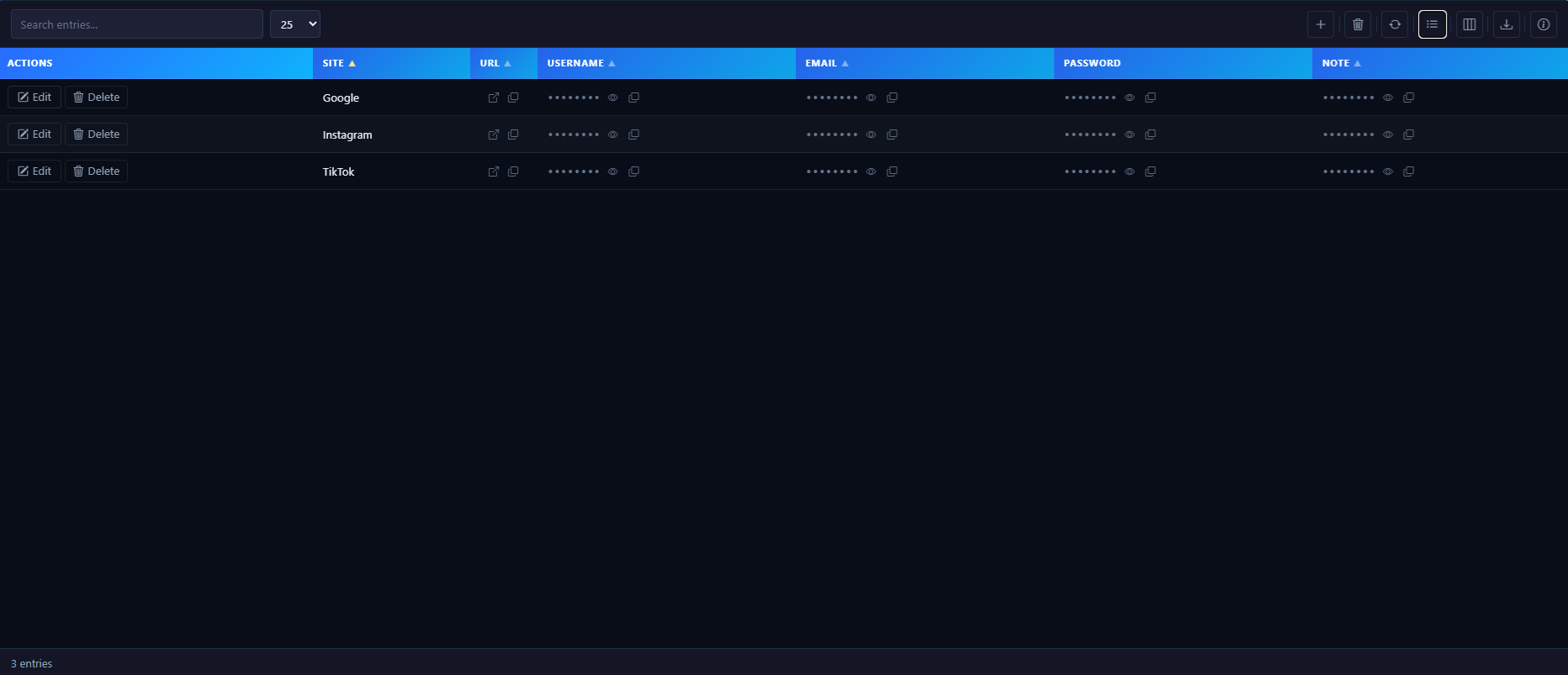
Vault List View
Switch to a compact list layout for faster scanning, filtering, sorting, and managing larger vaults.
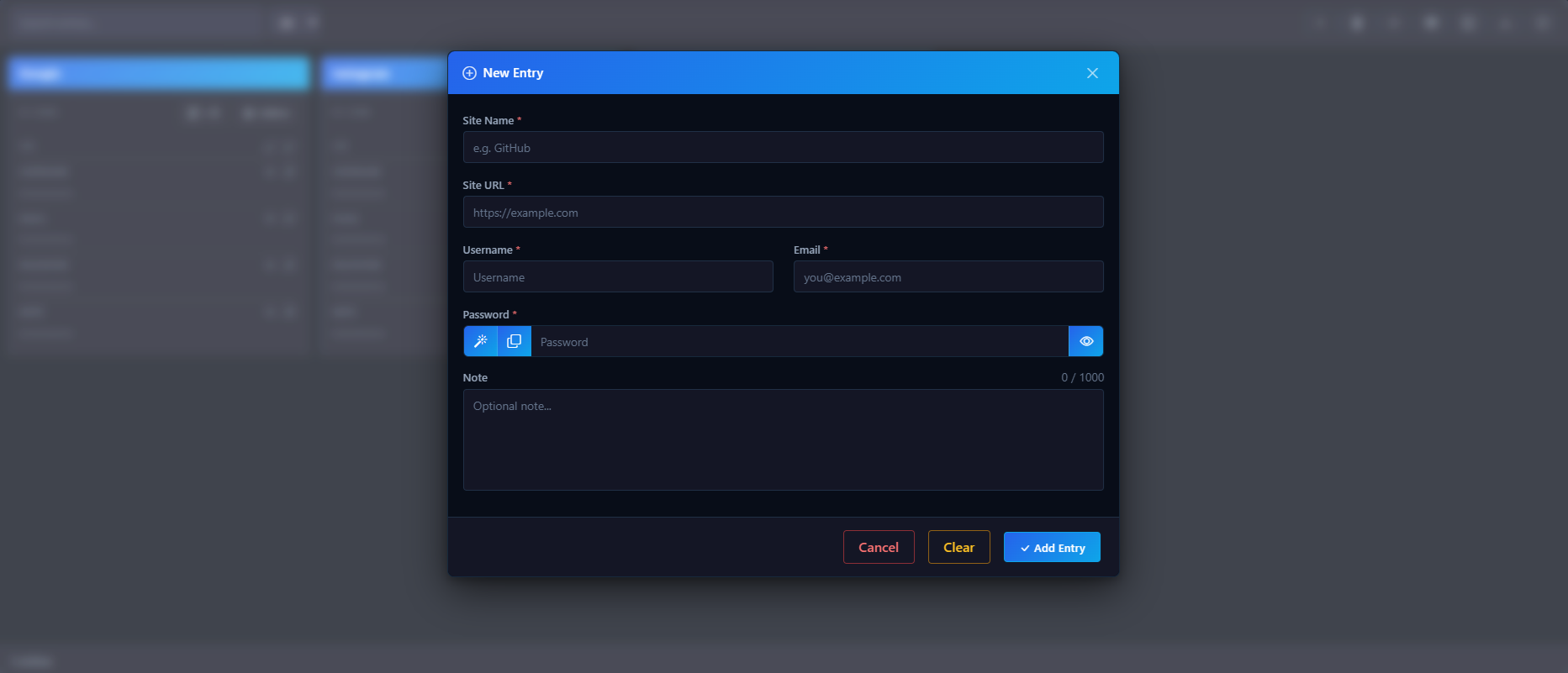
Add Secure Entries
Create encrypted password records with generated passwords, notes, site details, and client-side encryption before save.
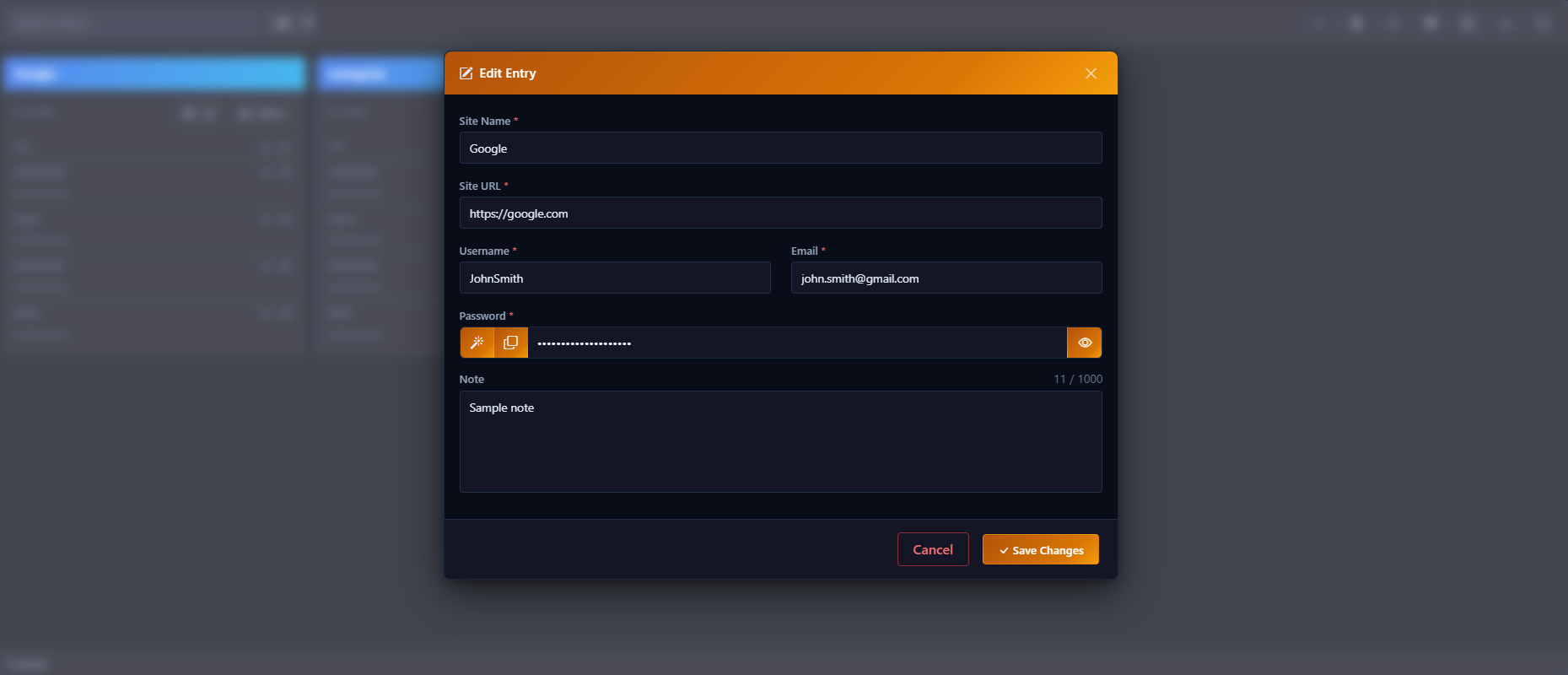
Edit Vault Records
Update existing vault entries with polished modal workflows while keeping sensitive fields protected.
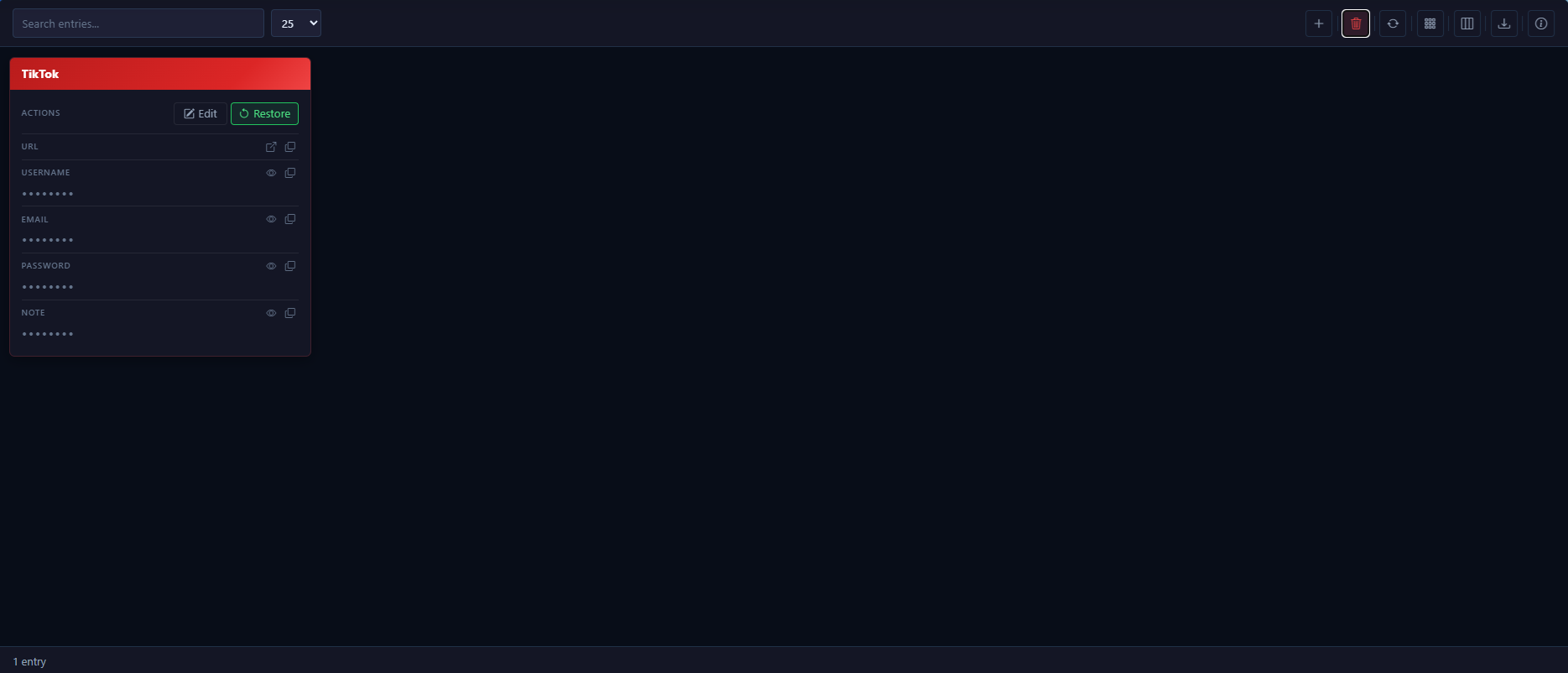
Restore Deleted Entries
Recover soft-deleted vault records when your plan supports deleted-entry recovery.
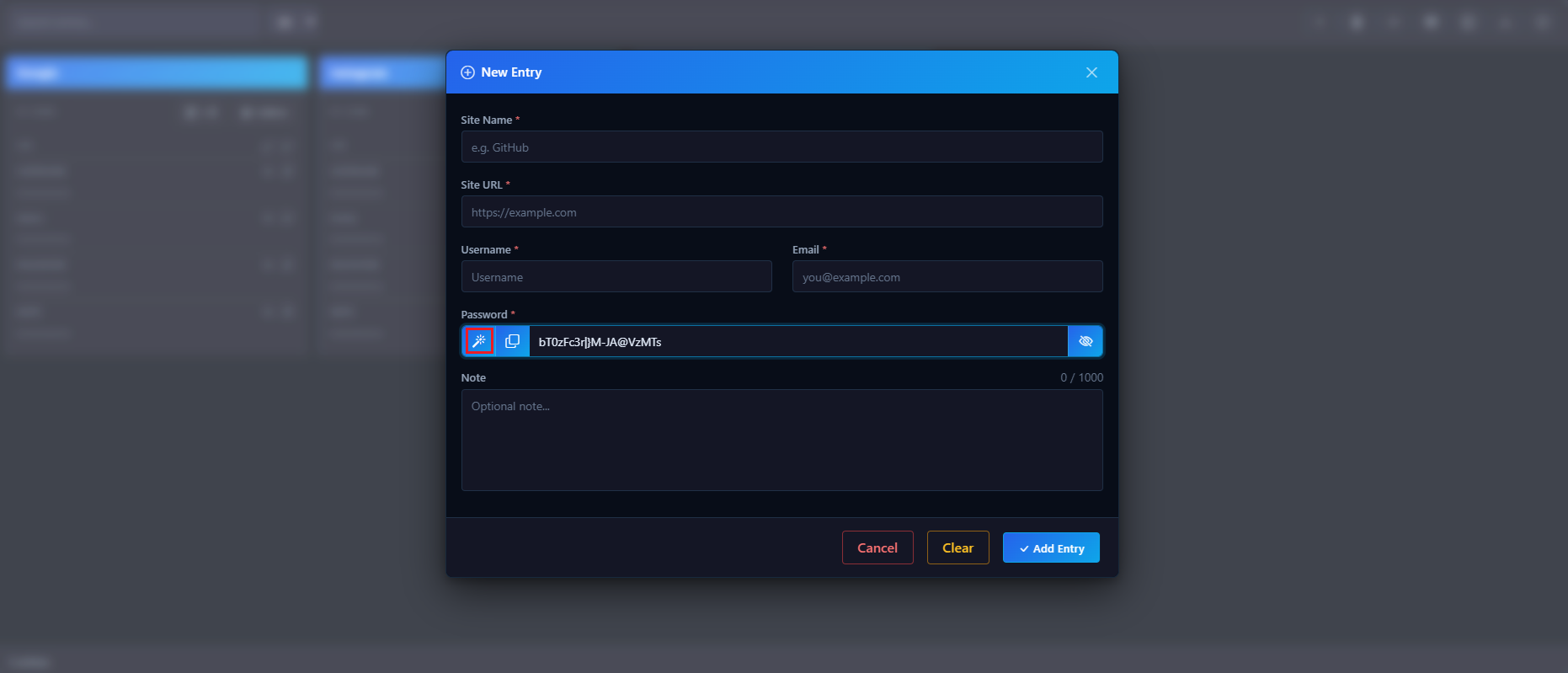
Random Password Generator
Generate strong XML-safe passwords directly inside the Add/Edit Entry modal, then copy or save them without exposing sensitive values.
Why Password Vault
Privacy You Can Verify
Every design decision prioritizes keeping your sensitive data under your control.
Client-Side Encryption First
Data is encrypted in your browser before it ever leaves your device. The server only stores ciphertext.
Master Password Stays Local
Your master password is used only to derive your vault key on-device. It is never transmitted or stored server-side.
One Vault, Multiple Categories
Store passwords, payment cards, and more in a single encrypted vault with distinct module views.
Device-Aware Access
Register your devices explicitly. Each device goes through a secure unlock process before accessing vault data.
Trusted Contact Workflow
Designate up to 5 trusted contacts for read-only emergency access if you become inactive. Controlled and step-by-step — never automatic, and always end-to-end encrypted.
Clean, Focused Interface
A purpose-built vault interface — search, filter, and manage your entries with minimal friction.
Backup Options You Control
Export or print decrypted vault information when you need a physical backup stored somewhere secure.
Recovery Without Clutter
Deleted entries can be reviewed and restored, helping you recover important vault data when needed.
Vault Modules
Every Category of Sensitive Data, Covered
Password Vault is structured into purpose-built modules — each encrypted the same way, each focused on a distinct data type.
Password Vault
Credentials & Logins
Store and retrieve login credentials, URLs, usernames, passwords, and secure notes. Each entry is encrypted client-side before storage — only you can read it.
- Username, password, and URL fields
- Secure notes per entry
- Search and filter across all entries
- Export to CSV, Excel, or PDF (client-side only)
- Soft-delete with entry recovery
Vault Wallet
Payment Cards & Financial
Securely store payment card details, bank information, and financial notes — encrypted at the entry level the same way as your passwords.
- Credit and debit card storage
- Card number, expiry, cardholder name, and secure financial notes
- Bank account and routing details
- Per-entry AES-GCM encryption
- One master password unlocks all modules
Vault Legacy
Trusted Contact Emergency Access
Designate up to 5 trusted contacts who can receive read-only emergency access to all — or a selected subset — of your password entries if you become inactive. If you sign in during the warning grace period, the release is automatically canceled. Everything stays end-to-end encrypted.
- Up to 5 trusted contacts, invited by email — no app account needed
- Choose all password entries or selected entries per contact
- Inactivity monitor with an owner warning email and grace period
- Read-only access — contacts can never edit or delete your entries
- Wallet items are never included
Getting Started
Up and Running in Minutes
Your vault is ready as soon as you set your master password. No complex setup required.
Choose a Plan
Select the plan that fits your needs — including a free option to get started with no credit card required.
Set Your Master Password
Create a strong master password. It stays on your device and is used to derive your vault encryption key.
Add Your Entries
Start adding passwords, cards, and notes. Each entry is encrypted in your browser before being saved.
Access from Any Device
Register additional devices and unlock your vault wherever you are — your encrypted data follows, your key does not.
How the Encryption Works
When you create or unlock your vault, your browser derives a Vault Encryption Key (VEK) from your master password using PBKDF2 with a unique per-account salt retrieved from the server. That key never leaves your browser session. Every vault entry is encrypted with AES-GCM before being sent to the server — and decrypted with the same key only after retrieval, entirely on your device. Our servers store only ciphertext.
Plans & Pricing
Simple, Transparent Pricing
Start free, upgrade when you need more. No hidden fees.
- Invisible Copy
- One-Click Link To Login
- End-to-End Encryption
- Advanced Views
- Random Password Generator
- Vault Wallet
- Custom Exports
- Secure Attachments
- Vault Legacy
- Ultimate Features
- Invisible Copy
- One-Click Link To Login
- End-to-End Encryption
- Advanced Views
- Random Password Generator
- Vault Wallet
- Custom Exports
- Secure Attachments
- Vault Legacy
- Ultimate Features
- Invisible Copy
- One-Click Link To Login
- End-to-End Encryption
- Advanced Views
- Random Password Generator
- Vault Wallet
- Custom Exports
- Secure Attachments
- Vault Legacy
- Ultimate Features
Common Questions
Frequently Asked Questions
Ready to Secure Your Vault?
Start free today. Your data stays yours — encrypted, private, and accessible only to you.
Get Started Free